Module Editing de AURE Sports
MODULE 03 · FINAL EDITING

Turn clips into clear reports

Combine videos, title cards, inserts and team crests to deliver clear, professional video reports.

Clips Title cards Final export
01 / 01

Editing module overview

This module organizes technical material into a polished final piece, combining clips and graphic assets.

Compatibility

  • Native workflow on Apple silicon Mac.
  • Official Apple notarization.
  • Performance optimized for video composition.

License

  • Perpetual license with no expiration.
  • No monthly payments.
  • Technical support and maintenance updates.

Module highlights and updates

Editing completes the report without leaving the AURE ecosystem, maintaining continuity from analysis and drawing through final delivery.

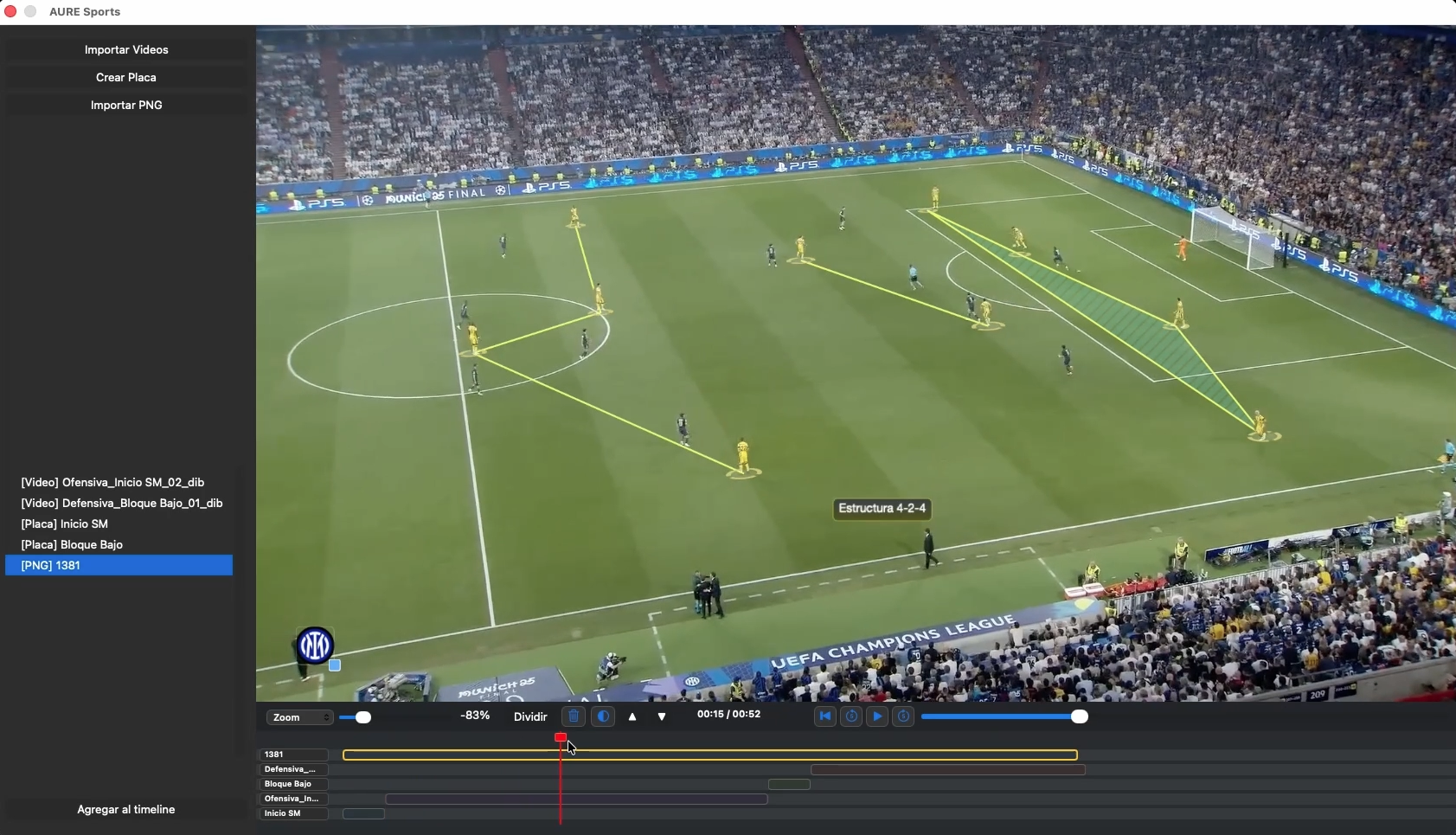
Final composition from the Editing module

Punto fuerte

Final composition without external software

The module combines clips, title cards and inserts in one interface so the final report preserves the logic of the technical workflow.

  • Combine clips and layers.
  • Titles, cards and team crests.
  • Presentation-ready final delivery.
Timeline y recursos from the module Editing

Flujo operativo

A clear timeline to organize your piece

Adjust the composition layer by layer so pacing, order and communication match the coaching staff’s tactical intent.

  • Trim and duration for each element.
  • Consistent visual organization.
  • Export to standard formats.

Core module features

The Editing module focuses on delivery: turning technical material into a clean, consistent video presentation.

Clip sequences

The module organizes prepared material into a clear video narrative, without relying on external software for final assembly.

  • Videos imported from the suite.
  • Consistent visual order for staff meetings.
  • A solid foundation for repeatable reports.

Title cards, titles and inserts

Add visual identity, text and supporting assets to provide context without overcrowding the piece.

  • Titles and information cards.
  • Team crests, images and graphic assets.
  • A more professional final presentation.

Interactive timeline

Adjust the timing, order and duration of every layer so the final delivery reflects the report’s tactical intent.

  • Trim and duration by layer.
  • Consistent visual organization.
  • A workflow consistent with the other video modules.

Ready-to-present output

Complete the workflow with a clear, usable export ready for any technical setting.

  • Export to .mp4 or .mov.
  • Material ready for meetings or presentations.
  • Less reliance on external tools.

Editing module interface

Final composition follows a simple workflow: import, organize, adjust and export without leaving the AURE ecosystem.

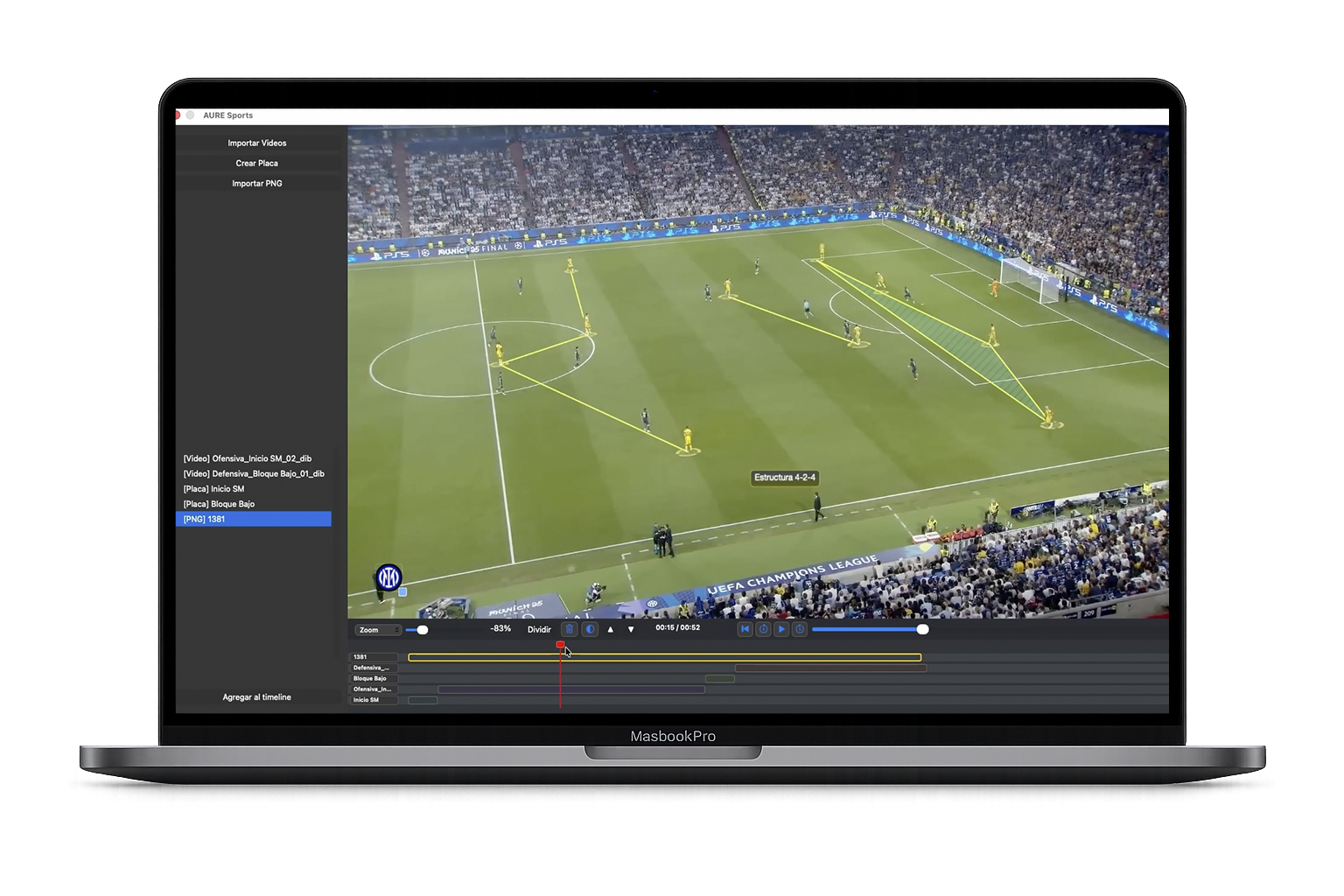
Editing module interface de AURE Sports
01

Composition clips

Import videos, images, team crests, maps and title cards to create polished professional reports.

02

Asset list

Add layers from the asset list, move them to the timeline and organize the final composition for .mp4 or .mov export.

03

Team crests

Customize compositions with the visual identity of the club, opponent or age group.

04

Toolbar and controls

Manage inserts, layers, positioning and primary controls to organize everand theement of the final composition.

05

Timeline

Work interactively with each layer on the timeline, adjusting duration and trim with the same workflow as the video modules.

Want to know if AURE Sports is right for your team?

Message us on WhatsApp and we’ll help with purchasing, technical requirements and Mac compatibility.

Sales office

Sargento Cabral 147 Piso 3A - BA

Rosario, Santa Fe - Argentina

Business hours

Monday to Friday, 10:00–18:00

+54 0341 2390351

WhatsApp

+54 9 341 7464681

Fast assistance with purchasing and compatibility

Email

info@auresports.com

Social media